Dictation for Mac

Speaking is typing.

Press fn, talk, press fn again — clean, punctuated text appears at your cursor in any app. Speech is recognized on your Mac, and your recordings are never uploaded.

14-day free trialOne-time purchasemacOS 14+ · Apple silicon

To: Alex

Let’s meet tomorrow at four and send everyone the agenda.

You said: “Um, let’s meet tomorrow at three — no, four, and uh, send everyone the agenda.”

Why Belltongue

Private, affordable, light — and it knows your voice.

01

Your voice stays on your Mac.

Belltongue turns speech into text right on your Mac. Recordings are never uploaded — not to us, not to anyone.

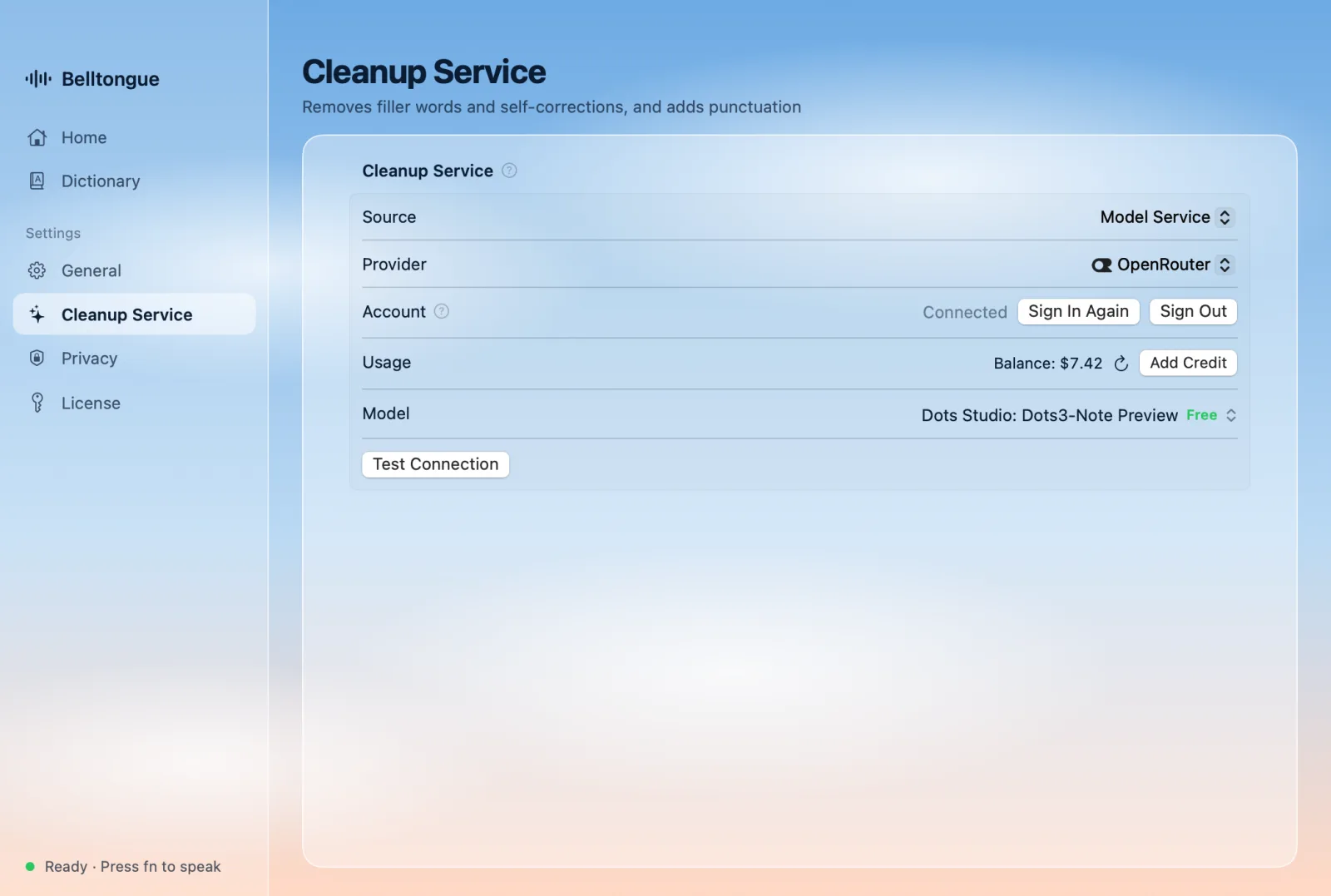
Want better text? Turn on AI cleanup to drop filler words, fix self-corrections and punctuate. Sign in with OpenRouter to use free models, bring your own key for Claude, OpenAI, DeepSeek and more — or skip it. Only text is ever sent, straight to the service you pick.

02

Pay once. Keep it.

No subscription. Belltongue is $19.99, once — or $14.99 at launch, until launch ends. One license covers 2 Macs and every 1.x update.

Cleanup can cost nothing, too: OpenRouter’s free models work out of the box. Prefer a premium model? You pay its provider directly, at their price — Belltongue shows what 1,000 dictations cost with each model.

03

Native and light.

Written in Swift for macOS — not a website wrapped in Electron. Between dictations it waits in the menu bar using about 150 MB of memory, and the speech engine quits until you press fn again.2

Your battery and your other apps get the rest.

Memory when idle≈ 150 MB
Idle≈ 150 MB Short dictation≈ 400 MB 6-minute dictation≈ 600 MB + Voiceprint Recognition≈ 0.9 GB
Speech engine: starts when you press fn, quits 3 minutes after
SwiftNative macOSNo ElectronApple silicon
04

Voiceprint Recognition.

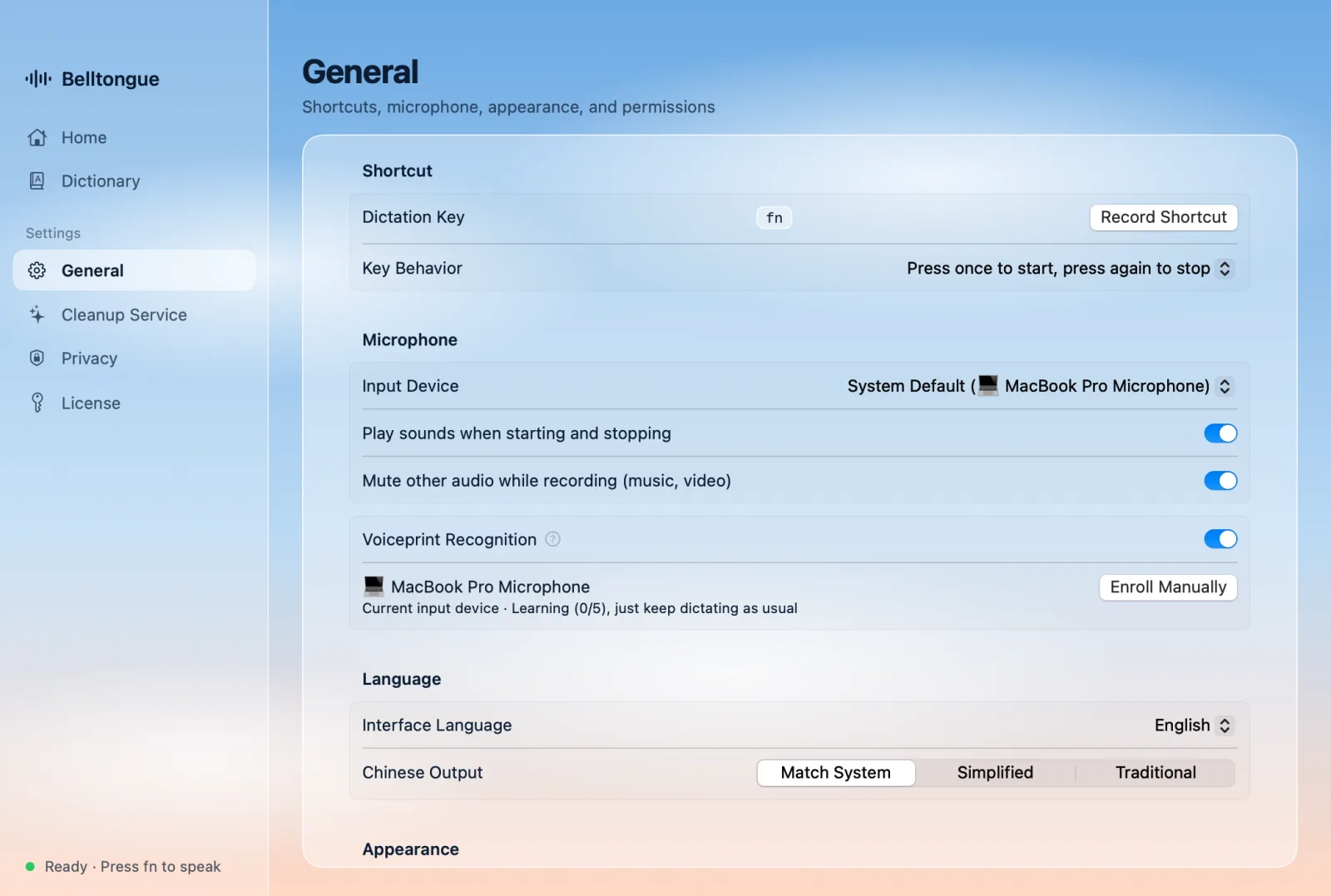
Dictating with people around? Turn on Voiceprint Recognition and Belltongue learns what you sound like from your everyday dictation — no setup, nothing to read aloud. When someone nearby talks, their words are left out of your text.

Your voiceprint is a few numbers kept on your Mac — never a recording — and you can delete it anytime.

We haven’t found another Mac dictation app that does this.

How it works

fn, talk, fn. That’s it.

Works wherever you can type: mail, chat, docs, notes, code editors, the browser.

  1. 1. Press fn

    Tap it to start — or hold it while you talk. Prefer another key? Pick any key or shortcut.

  2. 2. Just talk

    Pause, ramble, switch between Chinese and English, change your mind mid-sentence.

  3. 3. Press fn again

    Clean, punctuated text appears at your cursor, ready to send.

A look inside

Glass, sky, and nothing in your way.

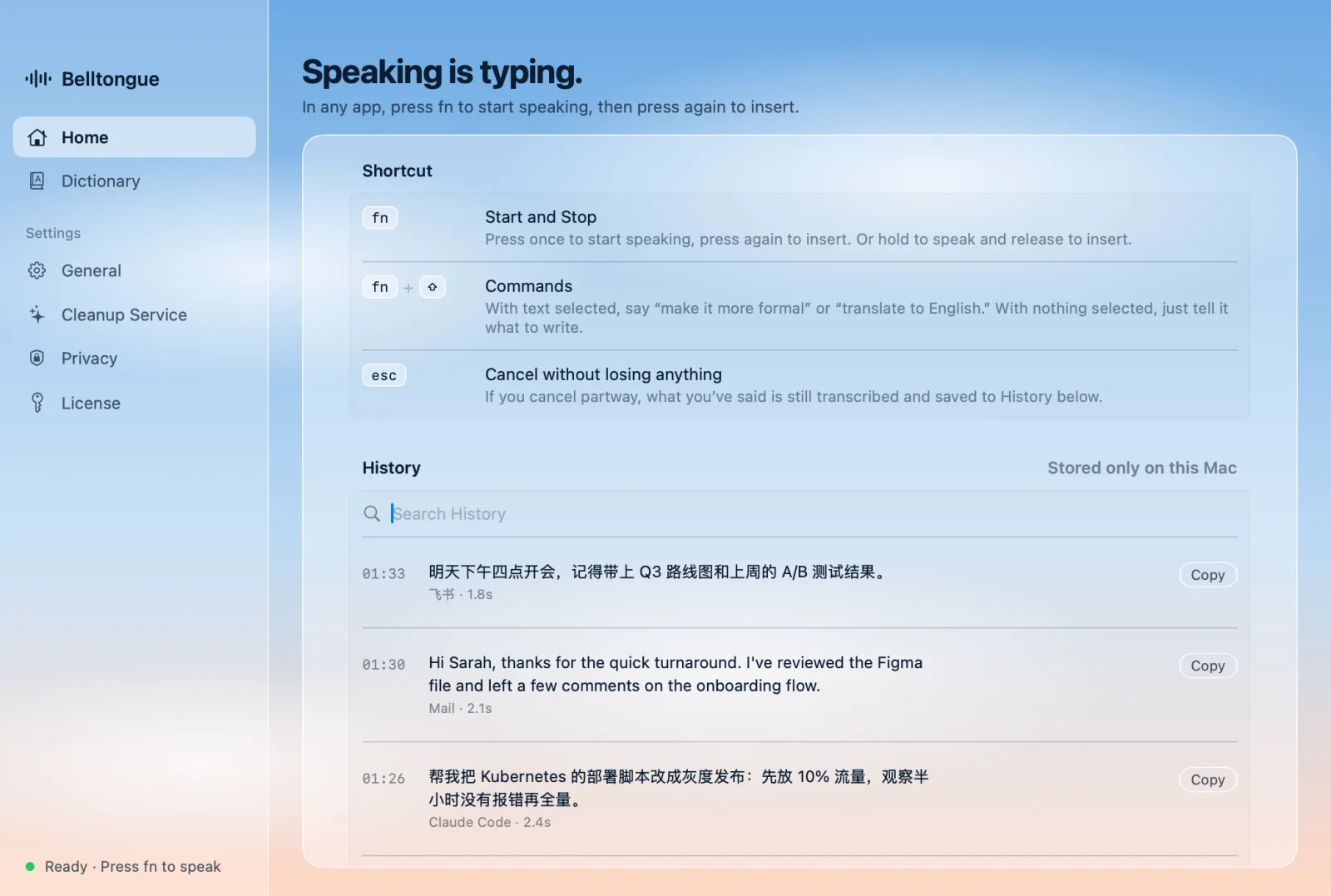
Belltongue’s home window: the dictation shortcuts and recent history Settings › Cleanup Service: signed in with OpenRouter, balance and a free model Settings › General: microphone options and Voiceprint Recognition, learning while you dictate

And more

The details that make it dependable.

Up to 2-hour recordings

Talk through a whole draft, a recap or a long idea in one go.

Chinese and English, mixed

Switch languages mid-sentence. Cleanup quality was on par with the category leader in our blind test of 484 real dictations.1

Never types into passwords

Password fields, secure input and the lock screen are off-limits: no recording, no typing.

Call-aware

On a call, Belltongue doesn’t mute the other side, and turns on echo cancellation.

Works offline

No network? It inserts the on-device transcript instead of making you wait.

Voice commands

Select text, press ⇧ fn and say “make it more formal” or “translate to English”. Uses AI cleanup.

Your words, your spelling

Import names and terms once. Words you correct are learned, too.

Nothing gets lost

Press esc to cancel — what you said is still saved to History, ready to copy.

Light and dark

Follows your Mac’s appearance: a daytime sky, or a night one.

1. Blind A/B comparison on 484 real dictations, mostly mixed Chinese–English, with Claude Sonnet as the cleanup model. Results with other models, including free ones, can differ.

2. Measured with macOS footprint on an Apple silicon Mac, October 2026: Belltongue plus its speech engine, at the peak of each case; short dictation is a 5–20 second recording, the long one has English boost on. Three minutes after you stop, the speech engine quits and memory drops back to idle.

Pricing

One price. No subscription.

Belltongue license

Launch price until launch ends

$19.99$14.99 $19.99 one time · USD

Taxes are calculated at checkout.

  • Use it on 2 Macs
  • All 1.x updates included
  • 14-day free trial — no card needed
  • 30-day money-back guarantee

AI cleanup costs

Free with OpenRouter’s free models (with daily limits set by OpenRouter). Premium models are billed by their provider, directly to you.

Secure checkout by Paddle

Paddle is our reseller and Merchant of Record: it handles payment, sales tax and invoices.

Not on the App Store

Belltongue types into other apps through macOS Accessibility, which App Store apps can’t use — so you buy it here.

FAQ

Questions, answered.

Are my recordings uploaded?

No. Speech is recognized on your Mac and recordings never leave it. Saving recordings is off by default; if you turn it on, they stay in Belltongue’s folder on your Mac and are cleaned up automatically.

What does AI cleanup do, and what does it send?

It removes filler words, handles self-corrections (“three — no, four”), and adds punctuation and formatting. It’s optional and off until you set it up.

When it’s on, Belltongue sends text directly to the service you chose: what you said, plus what helps it get names and style right — your personal dictionary and, unless you turn it off, a little text around your cursor. Never audio, never screenshots. Passwords, keys and card numbers near the cursor are removed on your Mac first. Details are in the Privacy Policy.

Do I need an AI account or an API key?

No. Without one, Belltongue types the on-device transcript as is. For free cleanup, sign in with OpenRouter and use its free models. Or paste your own key for Claude, OpenAI, DeepSeek, Zhipu GLM, Kimi, Qwen, Doubao or any OpenAI-compatible service — you pay that provider directly.

Which languages does it understand?

Belltongue is built for Chinese, English, and both mixed in one sentence.

Which Macs does it run on?

macOS 14 Sonoma or later, on a Mac with Apple silicon (M1 or later). Intel Macs aren’t supported.

How does the free trial work?

Download Belltongue and use everything for 14 days — no card needed. Buy a license whenever you’re ready.

What if it’s not for me?

Ask for a refund within 30 days of buying and you’ll get your money back, no questions asked. See the refund policy.

Why isn’t it on the Mac App Store?

To type into other apps and find your cursor, Belltongue uses macOS Accessibility, which App Store apps aren’t allowed to use. You buy it here instead; Paddle handles the payment as our reseller.

Where does the name come from?

A bell’s tongue is the clapper that gives it a voice. Our Chinese name, 木铎 (mù duó), is the bell with a wooden tongue that was rung in ancient China to carry announcements to the people — a voice that travels.

Talk instead of typing.

Try Belltongue free for 14 days. If it doesn’t earn a place in your menu bar, don’t buy it.

macOS 14 or later · Apple silicon